 TextFix
Fix your text in every app
Select text, press a shortcut. TextFix rephrases it, fixes the grammar or translates it, right where you type.
See it in action
No copy and paste between windows. The new text replaces the old one.
Three shortcuts. That's it.
Works in Mail, Slack, Teams, Notes, your browser and every other app where you can select text.
Rephrase
Rewrites your text so it sounds like a native speaker wrote it. Keeps your meaning, your tone and every fact.
⌃ ⌥ R
Fix grammar
Fixes every mistake in spelling, grammar and punctuation. It does not rephrase. Your words and your style stay.
⌃ ⌥ G
Translate
Translates the selection into the language you pick. 24 languages, faithful and correct.
⌃ ⌥ T
One more shortcut for everything else
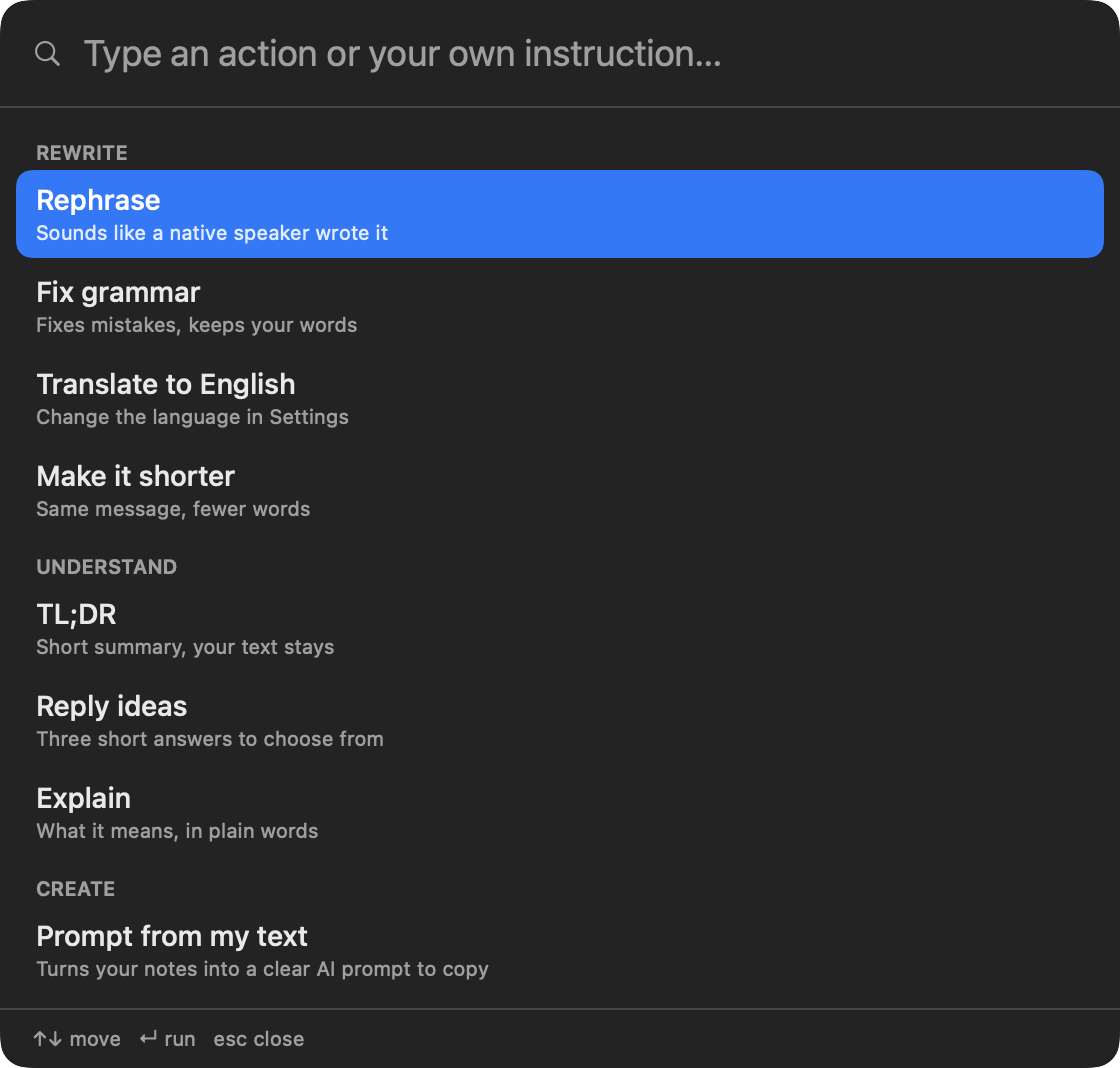
Press Control + Option + Space to open quick actions. Type to search, press Enter to run.
TL;DR and reply ideas
Get a three-point summary of a long message, or three short replies to choose from. Your text stays as it is.
Prompt from your notes
Turns rough notes into a clear prompt for ChatGPT or Claude, ready to copy. Or type your own instruction, like "make it more polite".
Hide names
Optional. Names, companies, emails, phone numbers and IBANs are replaced with placeholders before sending, and put back after.
Ready in a minute
No account and no browser extension.
Install
Open the DMG and drag TextFix to Applications. It lives in your menu bar. See the first open.
Allow and add your key
One button opens the right place in System Settings. Then pick your AI provider, paste your key and press Test.
Select and press
Select text, press a shortcut, done. You can change the shortcuts any time.
Pick your AI
Use the provider and the model you like. Switch any time in the settings.
Free. Yours. Open.
No subscription and no middleman.
Free forever
You only pay your AI provider for what you use. A typical rewrite costs a tiny fraction of a cent. With Ollama it costs nothing.
Your key, your text
Your text goes straight from your Mac to the provider you pick. Your key stays in the macOS Keychain.
Source available
Read every line on GitHub. Change it, build it yourself, or send a fix. Free for personal use.
Questions
Do you store my text?
No. There is no TextFix server. Your Mac sends the text directly to the AI provider you pick, with your own key.
Where do I get an API key?
From your provider's website, for example OpenAI, Anthropic or Google AI Studio. Add a few dollars of credit, then paste the key into the TextFix settings. The settings have a direct link for every provider.
Can I use it without the cloud?
Yes. Install Ollama, download a model, and choose "Ollama (on this Mac)" in the settings. Your text never leaves your Mac.
How does "Hide sensitive data" work?
Before sending, TextFix replaces the names on your "always hide" list, emails, phone numbers, IBANs and IP addresses with placeholders like [NAME_1]. It can also find other names on your Mac, which works best in English and German. The answer comes back with placeholders, and TextFix puts the real values back. This lowers what leaves your Mac, but it can miss things. For full privacy, use Ollama.
Can TextFix use my own words and style?
Yes. Add a glossary with terms to keep or to always translate the same way, and describe your style or paste an example message. You find both in the settings.
macOS says it cannot check TextFix for malware
TextFix is not notarized by Apple yet. Close the message, open System Settings, go to Privacy & Security, scroll down and click "Open Anyway" next to TextFix. You only do this once. You can also read and build the source code yourself.
Why does TextFix need Accessibility access?
TextFix presses Copy and Paste for you. macOS only allows this for apps with Accessibility access. TextFix does nothing until you press one of its shortcuts.
Which apps does it work in?
In every app where you can select text and use Copy and Paste: Mail, Slack, Teams, Notes, Pages, Word, Safari, Chrome and more.